Thursday, April 9, 2015

CLASS 10: The Education Grid


This talks about how schools can use immersive education safely.  Some people worry that it's like having an education in a "red light district" but they assure you that it is way more secure than it might come across.


Broad access explains that kids as young as 4 or 5 can use this program, as well as people in higher education.  the Program covers a lot of ground in education.


Lastly, the explain that a few major platforms have gone out of business and how Oracle is trying to stick with the program for the future.

Tuesday, April 7, 2015

CLASS 10: COLLABORATIVE CODING IN PlayCanvas


They give you a quick glimpse on how you can collaborate with other people online, your friends, or just build something on your own.


Intuitive tools allow you to collaborate 3D games for mobile devices and browsers


Simple Workflow reminds me of how google groups work.  Multiple people can contribute digitally, and through links and reviews.


Although I didn't find a whole lot of collaborative development through WebGL, I found some excerpts on how it works. I explain each of the screenshots which were fairly vague on the PlayCanvas website. You are able to work with friends, family, other students, or just yourself when creating a game.  This can be a good way to test your skills when coding, and you can help each other learn from other people's more developed coding skills.

Monday, April 6, 2015

Class 10: SecondLife SANDBOXES

A blank sandbox that I can build in.

My first object is the sphere

I play around with the depth, left right features of the object

I add some cylinders below the sphere

And some more...

A new sandbox...

I changed the sphere's texture to zebra

Then added more and more sphere's and cylinders

More shapes under the Sphere's.

Final #4: High Resolution Avatar

The start of my avatar

I started to change the shape of the body

I added hair and overalls to my avatar


Changed the body shape to female build

Changing the size of my arms

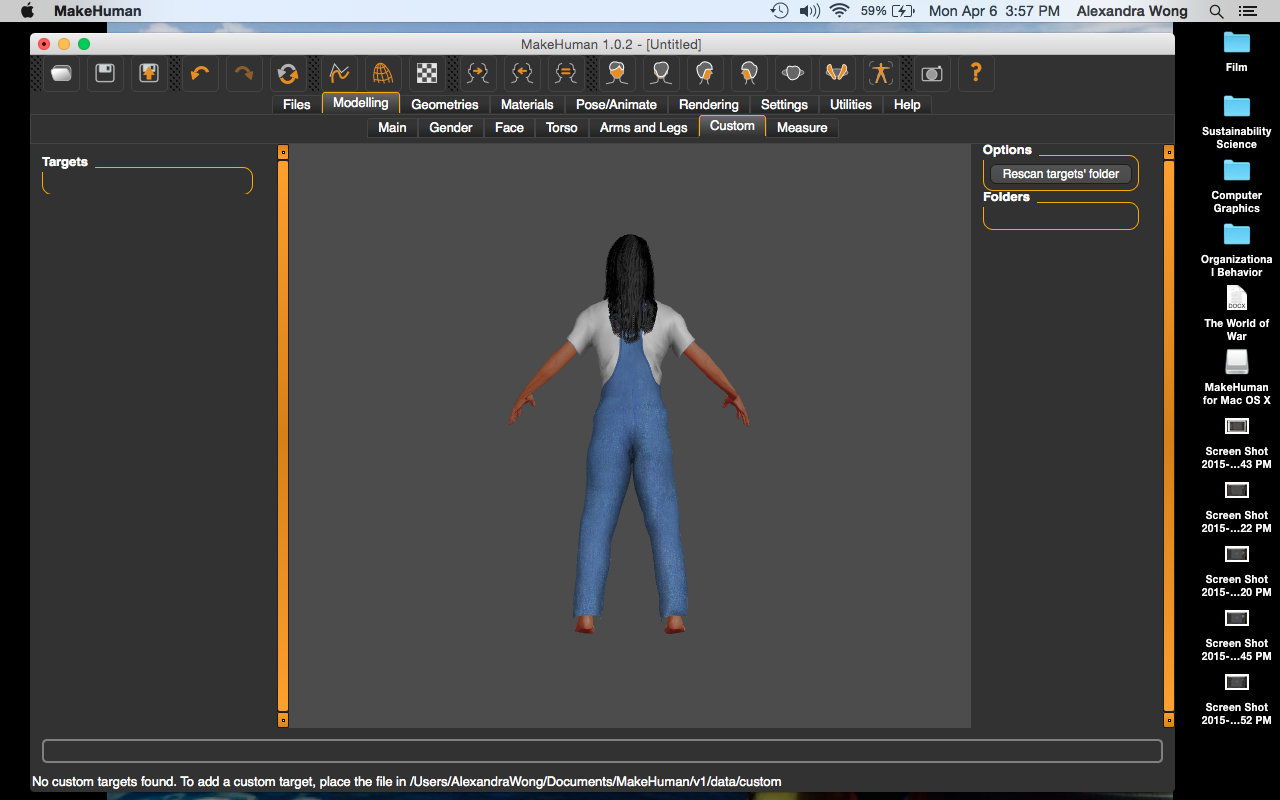
A view of the back of my avatar

Lastly, I change the height of my body.


This is Final#4 that uses the program MakeHuman. Each of the screenshots above show the different changes that I'm making to the avatar so that it looks more like me. I changed features such as eyebrows, height, hair, and ethnicity. It is a final exercise from the Immersive Education course that I am taking at Boston College. The course is called Discovering Computer Graphics. For details, visit the immersive BC portal at http://ImmersiveEducation.org/@/bc

Friday, April 3, 2015

FINAL 5c: MY CUSTOMIZED JAVA GAME


My final edit to the turtle turned iED game.

Here's the link to my game! http://www.greenfoot.org/scenarios/13567

This is the last part of the final where I changed the images of the turtle and the snake to a photo of me and the iED photo. It is a final exercise from the Immersive Education course that I am taking at Boston College. The course is called Discovering Computer Graphics. For details, visit the immersive BC portal at http://ImmersiveEducation.org/@/bc

FINAL 5b: Greenfoot Lettuce and Snake


The final screenshot of my Trick-the-Turtle game!

Here's the direct link to my game. http://www.greenfoot.org/scenarios/13566

This is the second part of the final where we wrote more codes, and created a game where the Snake eats the Turtles and the Turtles eat the Lettuce. It is a final exercise from the Immersive Education course that I am taking at Boston College. The course is called Discovering Computer Graphics. For details, visit the immersive BC portal at http://ImmersiveEducation.org/@/bc

FINAL 5a: Greenfoot JoC #4 Finally some code!

The turtle scenario

Adding my turtle guy to the screen

Opening up the editor

Making my turtle move!!

Using the inherited features

Making my turtle turn


This is the first part of the final where we start to write java. It is a final exercise from the Immersive Education course that I am taking at Boston College. The course is called Discovering Computer Graphics. For details, visit the immersive BC portal at http://ImmersiveEducation.org/@/bc